
Convert
Import STIL, WGL, VCD or eVCD and generate ATE-targeted patterns and related collateral for current Advantest and Teradyne flows.
TestXector converts STIL, WGL, VCD and eVCD into Advantest and Teradyne-targeted workflows while keeping timing decisions, comparison evidence and migration risk visible to the engineer.

Browse key TestXector surfaces across import, timing debug, compare, migration and bridge workflows.
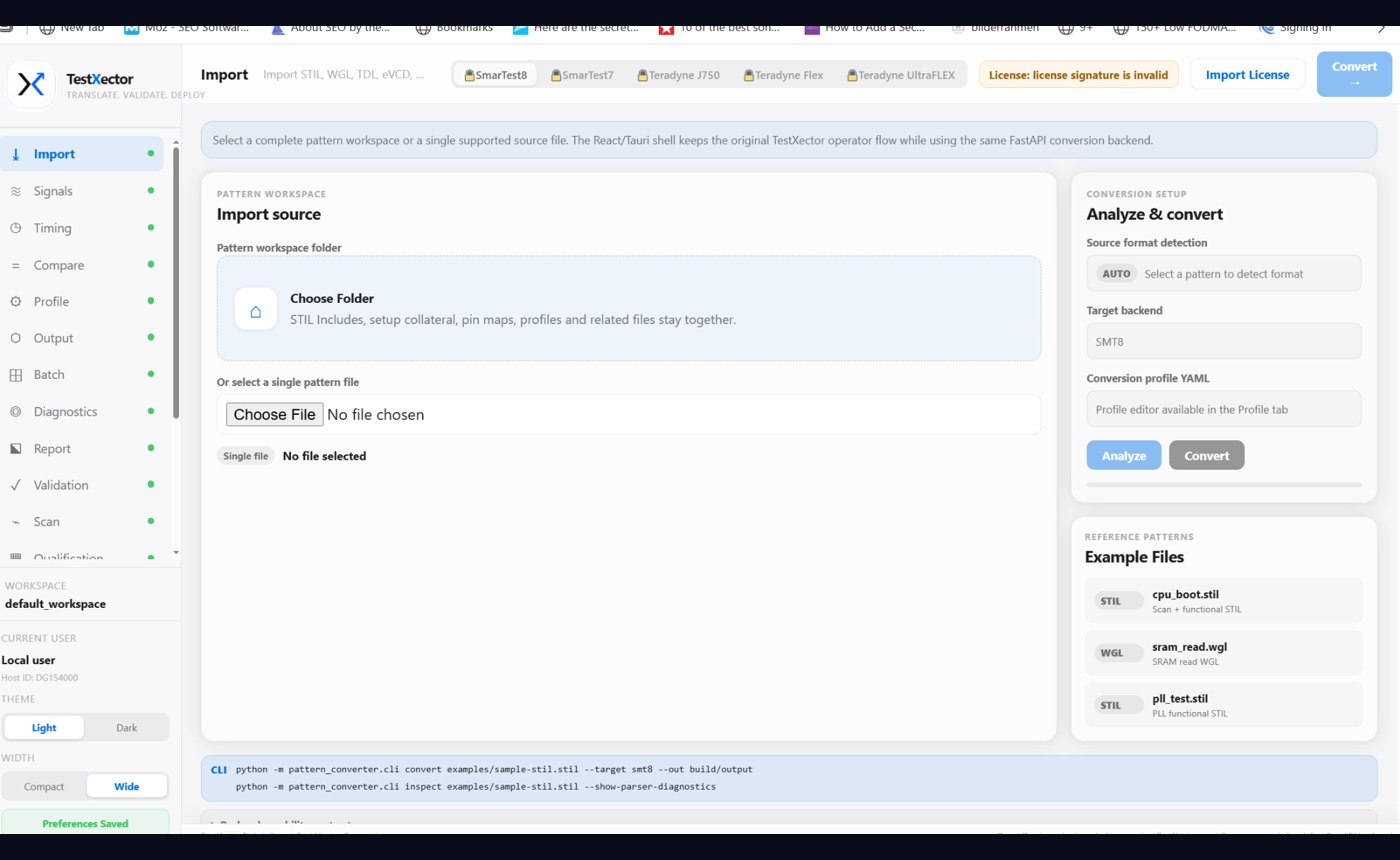
Keep the main pattern, setup collateral, pin maps and profiles together before analysis and target generation.
TestXector brings conversion, engineering inspection, equivalence evidence and migration assessment into one connected workflow.
Import STIL, WGL, VCD or eVCD and generate ATE-targeted patterns and related collateral for current Advantest and Teradyne flows.
Review timing, waveforms, pin behavior, profiles and engineering decisions instead of treating conversion as a black box.
Compare source and generated output at multiple engineering levels and retain evidence that makes reviews reproducible.
Assess source-to-target compatibility, review unsupported constructs and manage cross-platform migration deliberately.
Different tool categories solve different parts of the pattern workflow. Use the lenses below to compare the typical emphasis of each approach.
Competitor categories are intentionally anonymized. Capabilities vary by product, version and configuration; confirm against your own engineering requirements.
What changes when the destination tester changes?
May generate several tester formats, while migration assessment is often a separate engineering activity.
Useful for direct edits, with source-to-target migration decisions typically handled by the engineer.
Usually optimized around its own tester family and surrounding tool flow.
Compatibility assessment, clean/review/unsupported classification, reports and a guided migration workflow.
Translation is only one step. TestXector keeps source intent, target generation, readback and comparison connected so assumptions and mismatches remain reviewable.
Signals, directions, vectors, waveform tables and timing context are made explicit before conversion decisions are applied.
The differentiator is the connected engineering loop around conversion: inspect, compare, explain, migrate and retain reproducible evidence.
Inspect waveforms in cycle and time domains, place cursors, measure deltas and keep debug tied to the converted pattern.

Read back generated output where supported and compare engineering intent instead of relying on generation success alone.
Source ↔ Target ↔ EvidenceClassify clean mappings, review items and unsupported constructs before migration becomes tester debug.
Compatibility · risk · reportsPin maps, timing variables, setup collateral and inferred decisions stay explicit and reproducible.
Repeatable configurationValidation reports, diagnostics and qualification levels leave a trail that can be reviewed and supported.
Explainable outcomesPattern IP can stay on the engineering workstation or controlled infrastructure without mandatory cloud upload.
Each stage produces something an engineer can inspect rather than hiding the conversion behind a single button.
Annual Engineer licenses include software updates and standard support. Pricing is explicit about deployment, ATE platform scope and the Migration add-on.
Prices shown in EUR, excluding VAT where applicable. Final commercial order form/EULA governs. No pattern-count, vector-count or cloud-usage meter. Migration pricing shown for node-locked deployment; floating/enterprise deployment scope is confirmed in the quote.
TestXector is designed for controlled environments and makes the distinction between internal validation and production qualification explicit.
Desktop/local processing, offline-capable node licensing and controlled infrastructure options.
ATE platforms and commercial add-ons are enabled deliberately rather than hidden behind ambiguous editions.
Internal parse/compare/validation evidence is not presented as vendor-tool or tester qualification.
Current product scope includes STIL, WGL, VCD and eVCD workflows, with functional and scan-oriented processing depending on source content.
Advantest SmarTest 7/8-style and Teradyne J750/FLEX/UltraFLEX-style workflows are the current focus. Exact target maturity and entitlement should be confirmed during evaluation.
No. The standard product is designed for local or controlled-infrastructure operation.
No. Internal parsing, comparison and validation are engineering evidence. Vendor-tool compile/load and tester/customer correlation remain the authority for production qualification where applicable.
Cross-platform compatibility assessment, migration risk/review items, reports and the dedicated source-to-target migration workflow. It is intended for customers operating two or more enabled ATE platforms.
Tell us the source, target and what needs to be proven. We can structure the evaluation around that workflow rather than a generic product tour.
No pattern data is uploaded by this page. The enquiry is prepared locally and opened in your mail application.